Evaluate and collect text, images, audio and video with Task Builder

Which design should ship? Does that AI-generated video actually look right? How does a synthetic voice sound to the people who'll hear it? The final call needs evidence from real people.
Up until now, getting that evidence has meant stitching tools together: a panel to recruit participants, a custom interface to show them your study and a separate process to check response quality. Each round takes days, and the infrastructure alone becomes something else to maintain.
Today we're introducing Task Builder (formerly AI Task Builder): one platform to recruit verified participants, evaluate or collect data across text, image, audio and video, and get quality-checked results back in minutes.
Teams have already run around 3,000 studies on it in six months, and now all features are available through API, CLI and in app with our new drag-and-drop editor.
What's new
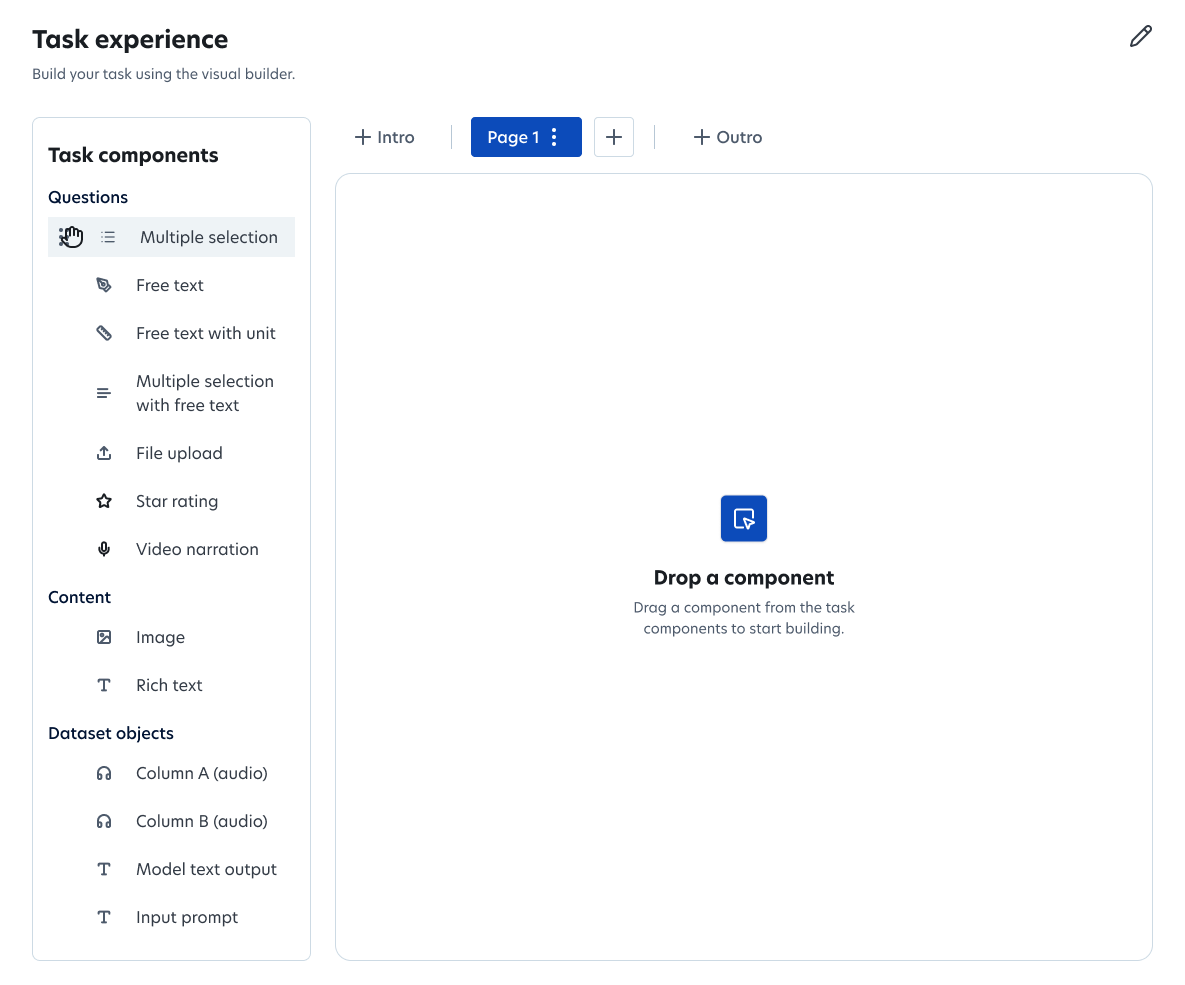
A new drag-and-drop editor. Design the exact layout your evaluation needs with flexible blocks for questions, media and format. The editor is at parity with the API, so the latest capabilities, including Likert scale ratings, frame controls, video narration and voice recording, are available however you build.
A new name. Teams use Task Builder for far more than model evaluation, from product A/B tests to sourcing training data, so we've dropped "AI" from the name. You may still see ‘AI Task Builder’ in older documentation as we transition.
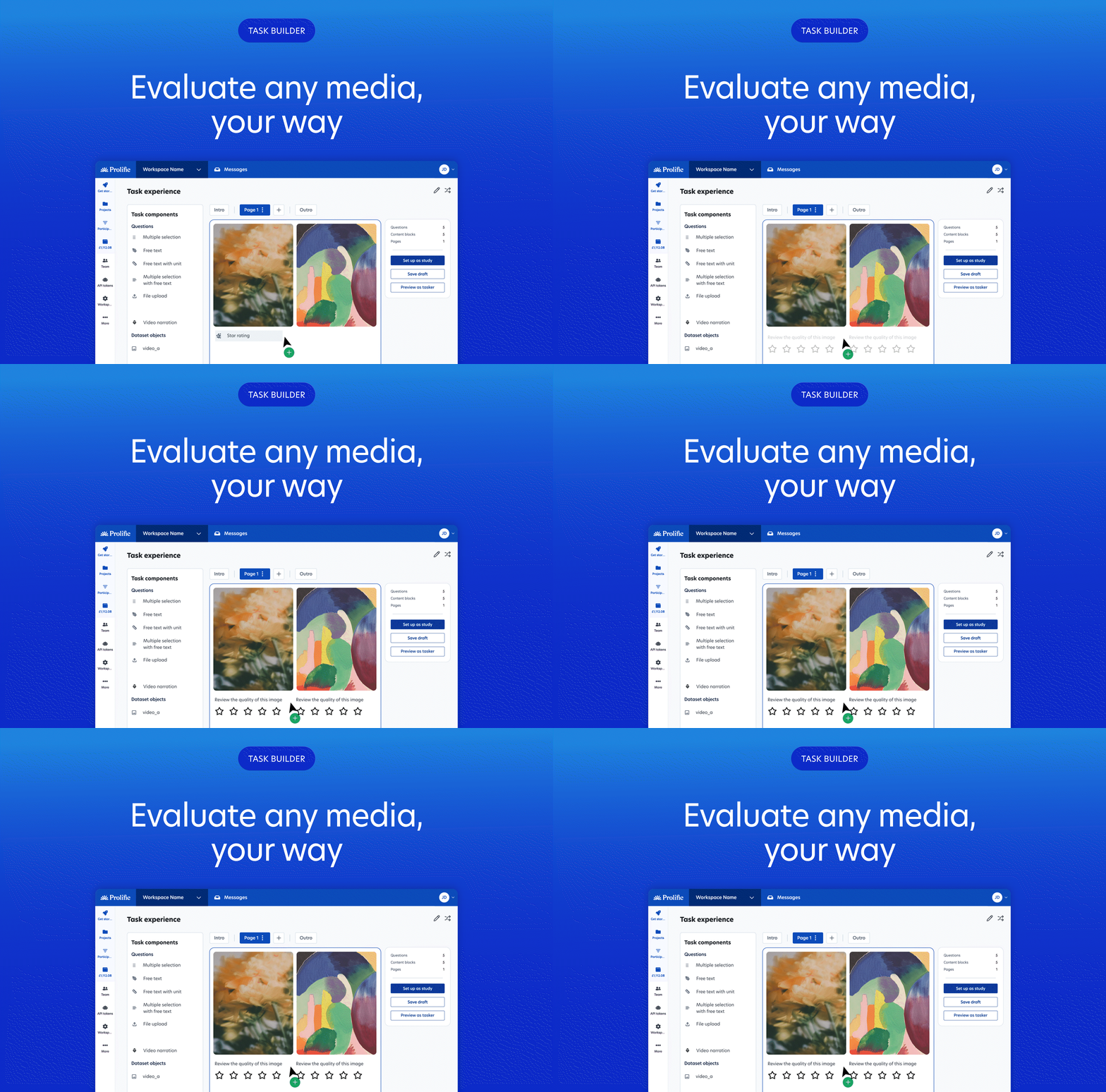
Evaluate any media, with custom controls for each
Video is one of the fastest-growing areas across Prolific, with almost 10,000 video studies run on the platform in just three months. Task Builder now gives those teams a native way to build and run them.
New multimedia features include:
- Frame-level video feedback: ask participants to pinpoint responses to exact frames, or narrate specific sections of a video in their own words
- Side-by-side comparisons: show two images, videos or audio clips next to each other for preference and A/B tests, then ask summary questions about the pair
- Native media players: audio and video play, pause and seek in the task itself, so participants never leave the page
- Ratings and rubrics: score single outputs on star scales or against your own criteria
First responses to evaluations typically arrive in around 15 minutes, so you can run, review and iterate on the same day. Results come back as structured data, with uploaded media files matched to each task and participant, ready for your analysis.
Collect real-world data from real people
Evaluation is half the job. Training and fine-tuning models also needs new human data, from the right people.
With Task Builder, participants can record speech directly in the browser, or upload photos and video. You can ask questions in the same study, and every file comes back matched to the participant and task it came from.
Target by language and region, including more than 18,400 verified language specialists.
Build your way: editor, API, CLI or agent
Use the visual editor to build evaluations to spec or run the whole thing from code. Create, launch and export tasks through the API or the Prolific CLI, so human evaluation runs inside your existing pipeline rather than alongside it.
Building with agents? Connect through Prolific MCP and see our agent workflows.
Quality built in
Fast results only matter if you can trust them. Every participant on Prolific is verified before they reach your task, and you can refine your audience with 300+ behavioral and consumer filters, or use verified experts in fields like healthcare and software engineering when your task needs specialist judgment.
Every task also includes authenticity checks: LLM checks detect AI-generated free-text responses with 98.7% precision, and bot checks identify AI agents with 100% accuracy in testing. And we back it with our 100% Human Guarantee: if an AI agent gets through, you get twice your money back for it.
What teams use Task Builder for
- Compare video model outputs at scale: A video generation lab has run nearly 1,000 side-by-side video studies, with a median of 3.7 minutes to first response.
- Rate text-to-speech quality: Voice AI teams use native audio playback and star ratings to judge synthetic speech.
- Test products: Product and UX teams build A/B tests on websites and designs in the editor, without engineering time
What's next
Task Builder is available now in the app and through the API. Log in to build your first task, or read the API documentation to run it from code. If you need help, take a look at our help centre.
We're continuing to expand what you can evaluate and collect, and how you can build it into your workflows. Keep an eye out for more features in our regular What's New updates!
Running evaluation or data collection at scale? Talk to our team.