What’s New: Longitudinal projects, collect multimodal data in Prolific’s AI Task Builder, and more

From longitudinal projects that handle wave sequencing automatically, to native multimodal data capture and a participant pool that's growing faster than ever, this month's updates are designed to take the operational weight off your shoulders. Read on to see what's new.
Introducing longitudinal projects: a dedicated way to run multi-wave studies
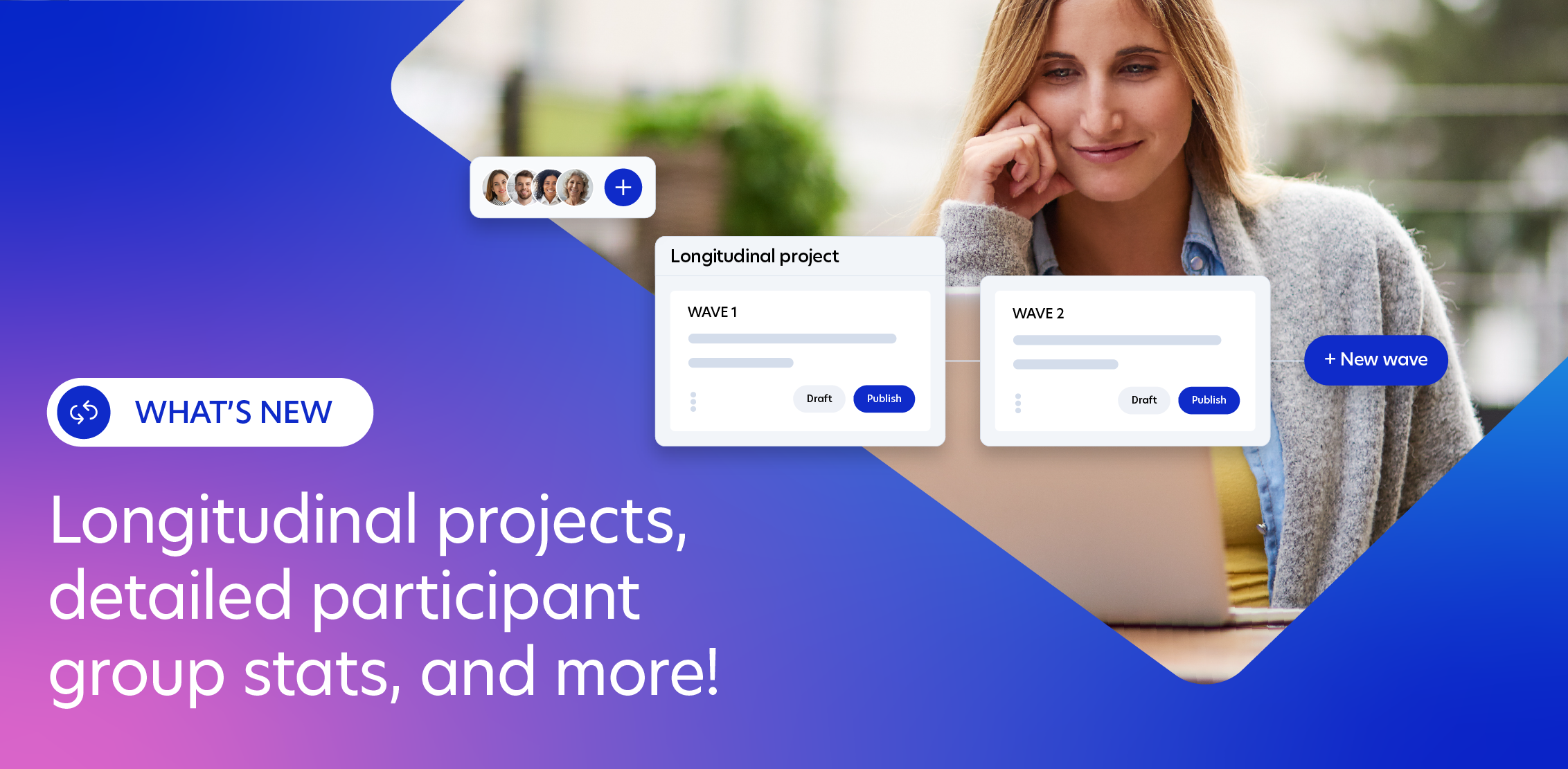
Longitudinal studies are some of the most valuable research designs out there, and some of the most painful to run: sequencing waves manually, building allowlists between each one, tracking attrition in spreadsheets, and still not knowing whether you'd hit your target sample by the end. Now Prolific handles all of that for you.
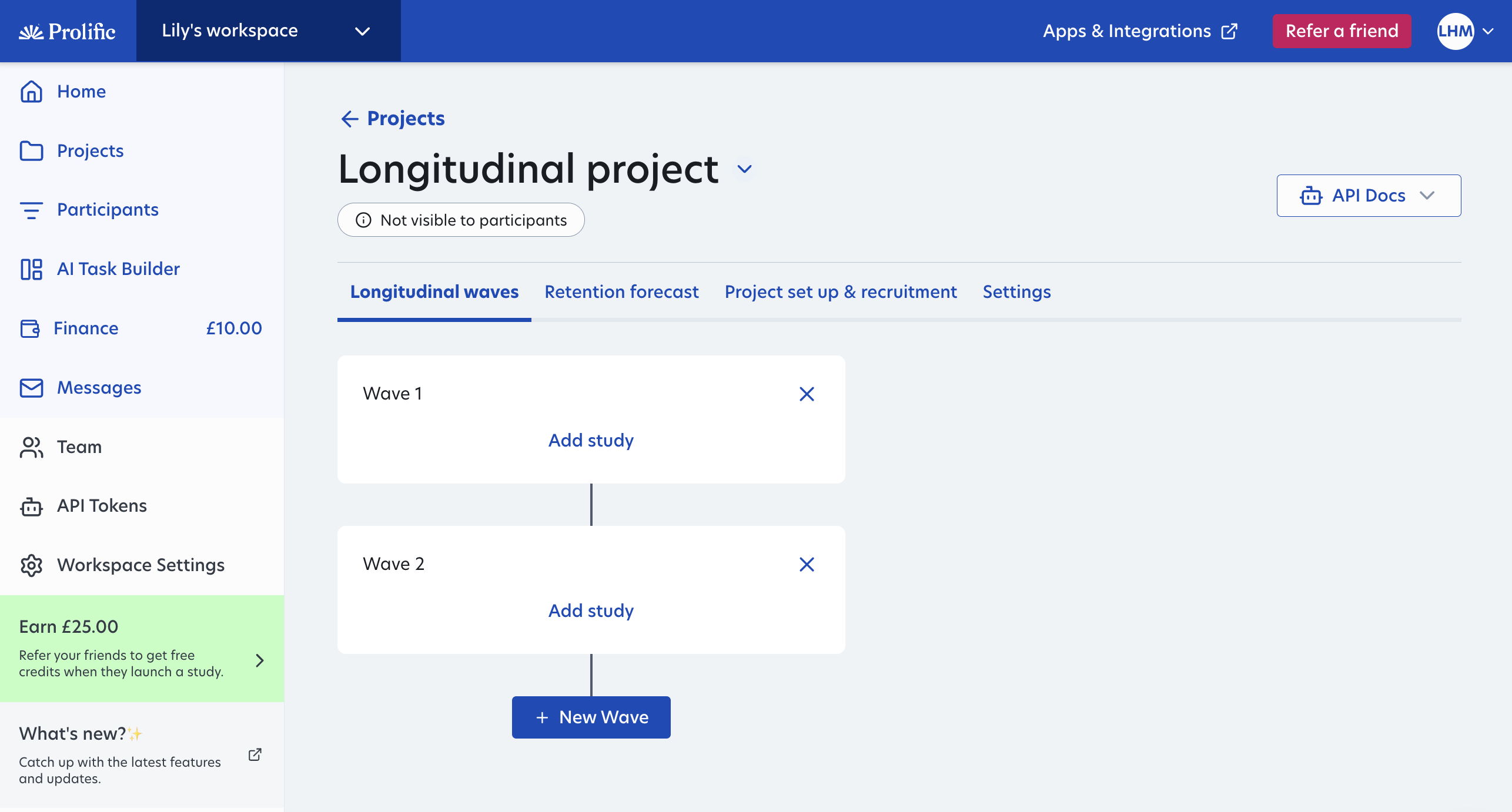
New longitudinal projects let you manage all waves with ease. Here’s how:
- Set up your target audience and waves once, then participants will automatically progress through when each wave goes live as scheduled.
- Participants can only complete new waves if they’ve completed all previous ones, so datasets stay clean and complete.
- Forecast participant retention and costs before launch. Enter your final sample size, account for expected drop-off, and see a full cost breakdown per wave.
- Participants know what they’re committing to. Participants can see all waves upfront, even if not open yet, so they know time commitments and when to return.
- Coming soon: Track and manage participant attrition in real-time. Get live updates on participant progression through waves and take actions like sending reminder messages or increasing study places if needed.
Researchers on Prolific have already achieved 90% retention across 30 days and 66% retention across 60 daily waves. Longitudinal projects are designed to make results like these the norm.
To get started, head to the Prolific app, create a project and select “longitudinal”. Or learn more about creating your first longitudinal project. Available now in the UI and coming soon to API.
Run studies straight from the command line with the Prolific CLI
The Prolific CLI is now available which gives developers full programmatic access to the platform directly from the terminal. Every action available in the UI or API is now accessible from the command line, with no gaps or workarounds.
For developers building automated data pipelines, this means you can configure studies, manage workflows and retrieve results without touching the UI. For researchers who want to move faster, it means the repetitive parts of running studies can be automated without changing how your research works or who your participants are.
View on GitHub or watch our tutorial on how to install the CLI here.
Collect images, video and audio with Prolific's AI Task Builder
Until now, collecting multimodal data meant juggling multiple tools — one platform to recruit participants, another to capture the data and another to run QA. AI Task Builder now supports multimodal data capture natively, so you can collect images, video and audio from participants, annotate and QA submissions, all in a single workflow.
This is available now via the CLI and API, with tasks configurable via JSON so your workflow setup can be managed by humans or generated programmatically. Whether you're capturing egocentric video, building image annotation datasets from scratch, or collecting speech samples to precise demographic specifications, you no longer need to work across multiple platforms to do it.
Know your participant groups are ready before your study launches
When you're running repeat evaluation programmes or longitudinal studies, the quality of your participant groups isn't static. And until now, there was no easy way to check it. This month's Participant Group Hub updates change that.
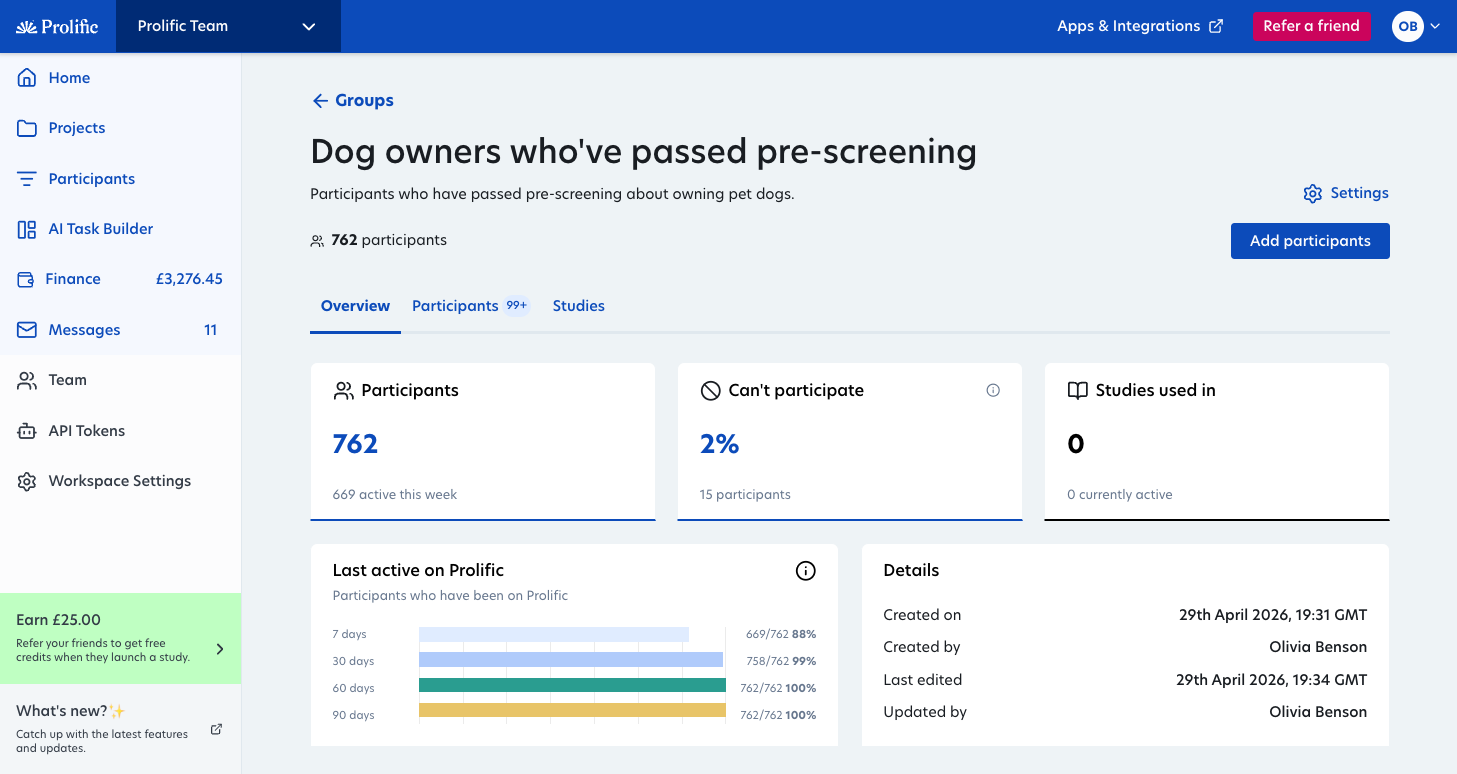
Group health at a glance
Get a pulse check on your group, to know whether they’re still fit for purpose. This tab gives you an immediate health check before you run a study: how many participants are active in the past 7, 30, 60 and 90-days, how many participants can’t participate, plus how many studies have used this group and when it was last updated.
Manage participants with ease
Managing group membership is faster too. The participant table now supports filtering and sorting by participation status, date added and last active. Also, now when you click ‘Can't participate’, this takes you straight to that pre-filtered view, so you can remove ineligible participants.
Track group study history
See every study linked to your group, filterable by status and completion rate, and you can click directly on the study name to head straight to the study itself. This is especially useful when groups are reused across research over time.
Head to the Participants tab in Prolific to start making the most of these changes. And watch this space over the coming months for more improvements to the hub!
Even more active participants in our network
Our 30-day active pool is up 40% since January, with over 290,000 90-day active participants on the platform this month.
- Strong regional growth across key markets, with standout increases in Brazil (up over 6x), Spain, France and the United States.
- More verified experts especially in healthcare, across 60+ different specialties including oncology, pharmacy and general medicine.
- Increase in language specialists with verified expertise (tested for C1 proficiency, with English fluency required at B2), from Japanese and Urdu to Dutch.
Find our verified experts in-app under Participants > Add screeners > Domain Experts. For our general pool, use the “All screeners” tab when adding screeners.
Need to check if your target audience is on Prolific? Use our Audience Finder.
A few quality-of-life updates we’ve made this month
- Improved participant message sorting. You can now filter participant in-app messages by study name, making it easier to find and respond to the right conversations.
- Prevent rate limits and slow API responses as your usage grows. Get our latest API guidance on building a resilient Prolific integration that scales with you.
- Upgraded AI search to quickly find the participant filters you need. Alongside generally improving search performance, now you can also include “and/or” logic. E.g. Doctors or nurses who own a car.
Chat to our team at upcoming events and conferences
Meet us at AAPOR in Los Angeles
Come say hello at booth 105, or join us for our talks:
- Learn from the largest and most comprehensive comparison of data quality in online sample providers to date: Not All Samples Are Created Equal: A Comprehensive Comparison of Online Sample Data Quality (Friday 15 May, 4pm)
- Find out how “real” synthetic data is when used in polling: Can AI Replace Human Respondents? A Systematic Benchmark of Synthetic Survey Data Against Ground Truth Polling (Wednesday 13 May, 4:15pm)
- Learn ways to improve your data labelling practices: Human-Centered Data Collection for Machine Learning: Lessons from Survey Research (Tuesday 12 May, 2pm)
Visit us at APS in Barcelona
We’ll be at Booth 5 at the Association for Psychological Sciences conference on May 28-30. We’d love to meet you!
We’re heading to London Tech Week
Find us at stand 132 to chat to us about your upcoming AI development or research projects.
And come to our free masterclass on “From Question to Data in Minutes: Live Human Feedback for AI” on June 10 at 3:00pm. We’ll be showing live how to get real human feedback for AI model training and evaluation. Register here.
Join us for our exclusive AI events in May
- May 12, Seattle, US — Frontier AI Evals with AI Circle and Prolific, featuring speakers from Amazon, Braintrust and Microsoft
- May 14, San Francisco, US — In the Loop: An Exclusive Dinner for Human Data Experts in AI
- May 26, San Francisco, US — Operationalizing Agents with Prolific and AI Circle